


Ford Co-Pilot360 Assist+ on the 2026 Ford Explorer — Everyday Confidence for Hazleton, PA Drivers
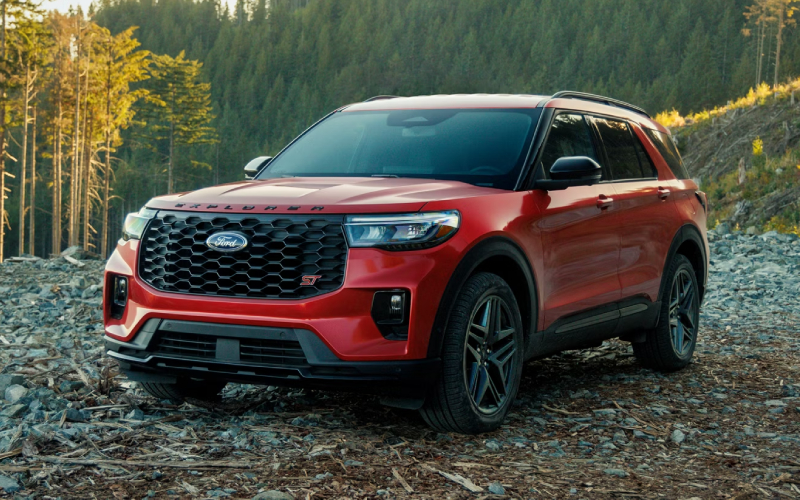
Miracle Ford – Ford Co-Pilot360 Assist+ on the 2026 Ford Explorer — Everyday Confidence for Hazleton, PA Drivers
Modern SUVs promise to reduce stress, but the 2026 Ford Explorer backs it up with a comprehensive suite of driver-assist features that are easy to use in real daily driving. At the core of that experience is Ford Co-Pilot360 Assist+, a package that integrates Adaptive Cruise Control, Lane Centering, Evasive Steering Assist, and more to help ease the workload of your commute and weekend travel. If your life takes you along I-81, the PA Turnpike’s Northeast Extension, or winding local connectors, these systems make the Explorer feel calm, confident, and composed.
We hear one question often: what is the difference between Ford Co-Pilot360 Assist+ and Ford BlueCruise on the Explorer? It is helpful to think of Assist+ as a robust suite of driver-assist features that still require hands on the wheel, while BlueCruise adds hands-free capability on pre-qualified highways when properly equipped, monitored, and activated. Many drivers find that Ford Co-Pilot360 Assist+ addresses the majority of their needs with a smooth, predictable driving character, and then choose a trim with BlueCruise to add another layer of ease for frequent highway miles.
What Ford Co-Pilot360 Assist+ Does in Real Life
On a morning commute toward Hazleton, PA, Adaptive Cruise Control maintains a set speed and can smoothly manage following distance as traffic ebbs and flows. With Lane Centering engaged, the Explorer gently assists with steering to help keep the vehicle positioned within lane markings, especially on long highway curves. Evasive Steering Assist adds support in specific emergency scenarios where you need to help steer around a slower or stopped vehicle. The result is a more relaxed experience, reducing the micro-corrections that can make a long drive feel longer.
On local two-lane routes, Stop-and-Go functionality within Adaptive Cruise Control can be particularly helpful. If you encounter a temporary backup near construction zones or busy shopping areas, the Explorer can bring itself to a stop and resume as traffic moves. You remain in command, but the system does the heavy lifting with a level of smoothness that just feels natural.
Choosing the Right 2026 Explorer Trim for Your Commute
Ford Co-Pilot360 Assist+ is available across multiple trims, and your broader wish list helps determine the best overall fit. If you want a well-rounded package with heated front-row seats and a power liftgate, the Active trim is a great starting point. Prefer a more performance-inspired look without the full ST powertrain? ST-Line pairs sporty design cues with tech like a 360-Degree Camera and a B&O Sound System by Bang & Olufsen with 10 speakers including subwoofer. For the most comfort and available hands-free highway assistance, the Platinum brings premium seating with heating, ventilation, and massage, plus Ford BlueCruise on equipped models. And for those who like extra capability, Tremor layers in off-road hardware like a Torsen limited-slip rear axle and underbody protection while keeping helpful tech in play.
If you regularly tow small campers or utility trailers, remember that the Explorer offers a Class III Trailer Tow Package and towing capability up to 5,000 lbs when properly equipped. Ford Co-Pilot360 Assist+ complements trailering by helping reduce fatigue on the drive to your destination, so you step out ready for fun instead of tired from the trip.
How Assist+ and BlueCruise Work Together
Think of Co-Pilot360 Assist+ as the foundation for daily driving support, and BlueCruise as a specialized feature for compatible highways. The Explorer’s driver-facing camera and sensors play a key role in empowering BlueCruise to deliver hands-free assistance—accelerating, braking, and steering while you keep your eyes on the road. Together, these systems can take the edge off steady-state highway driving and add back some mental bandwidth for route planning, passenger needs, or simply enjoying the drive.
For many shoppers, the best approach is to find the trim that nails your must-haves—seating configuration, comfort features, and exterior style—then decide whether to add BlueCruise. If your miles are mostly local and suburban, Assist+ may be everything you need. If you stack on highway miles each week, BlueCruise can be a compelling upgrade that enhances the Explorer’s calm demeanor on long stretches.
Getting Started: A Simple Setup Flow
- Confirm equipment: Make sure your chosen trim includes Ford Co-Pilot360 Assist+ and, if desired, BlueCruise capability.
- Personalize settings: Adjust your following distance, speed preferences, and alert tones in the vehicle menus.
- Practice locally: Activate Adaptive Cruise Control on a familiar highway section at off-peak times to build confidence.
- Try Lane Centering: On clearly marked stretches, enable Lane Centering and observe the gentle steering support.
- Add BlueCruise (if equipped): Use it on compatible stretches and note how the system communicates engagement and hand-off cues.
Ford’s interface is straightforward, and the Explorer’s feedback through the cluster and steering wheel makes it easy to understand when and how each feature is working. Spend a few minutes getting comfortable with the controls, and the technology will feel second nature.
Frequently Asked Questions:
Does the 2026 Explorer require special roads for BlueCruise?
BlueCruise operates on pre-qualified, compatible highways. Co-Pilot360 Assist+ features like Adaptive Cruise Control and Lane Centering can be used more broadly, within their operating parameters.
Is Ford Co-Pilot360 Assist+ always steering for me?
No. You remain in control. Lane Centering assists with gentle steering inputs to help keep you within lane markings when the system is engaged and conditions are met.
Which trims offer BlueCruise?
BlueCruise is equipped on select trims such as Platinum and ST. Our team can help you confirm availability and equipment details for the configuration you want.
Can I still enjoy the tech if I prefer rear-wheel drive?
Yes. Driver-assist features are not tied to Intelligent 4WD. Choose RWD or 4WD based on your traction needs; the tech remains at your service as equipped.
For drivers who want an SUV that genuinely eases the day-to-day, the 2026 Ford Explorer’s tech suite hits the right notes: reassuring, intuitive, and quietly effective behind the scenes. When you are ready to compare trims and equipment, our team is happy to demonstrate how Co-Pilot360 Assist+ and BlueCruise work together and help you decide which combination makes sense for your routes. We are proudly serving Hazleton, Pottsville, and Palmerton with test drives that focus on the roads you actually use and the tech settings you will appreciate most during the first week of ownership and beyond.
If you are narrowing down your shortlist, this is where the Explorer stands apart. The blend of confident power from the EcoBoost lineup, spacious seating, and well-tuned driver assistance makes it easy to recommend for both seasoned commuters and new SUV shoppers. When you are ready for a closer look, visit us at Miracle Ford and we will tailor a drive that showcases the exact features you want to experience.

0 comment(s) so far on Ford Co-Pilot360 Assist+ on the 2026 Ford Explorer — Everyday Confidence for Hazleton, PA Drivers