


2026 Ford Maverick SYNC 4 and the 13.2-inch display – smart tech for Tamaqua, PA drivers
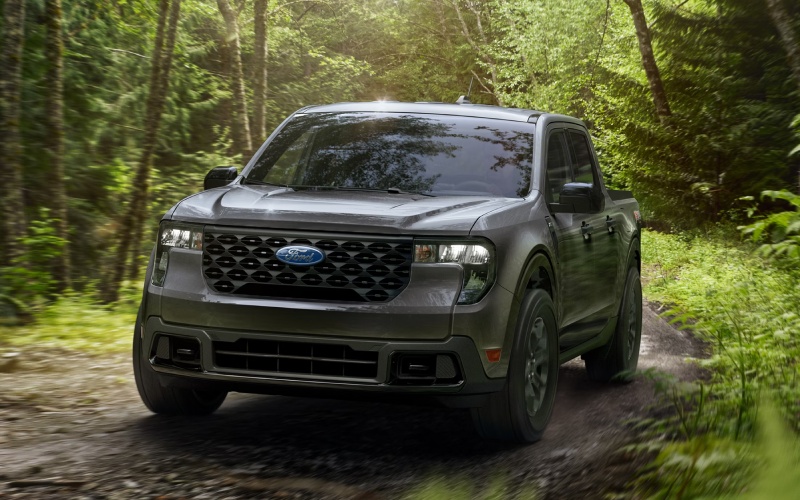
Miracle Ford – 2026 Ford Maverick SYNC 4 and the 13.2-inch display – smart tech for Tamaqua, PA drivers
The moment you sit in the 2026 Ford Maverick, the 13.2-inch center display pulls your focus — and that’s by design. SYNC® 4 gives you the crisp layout, quick responsiveness, and intuitive controls you expect from a modern smartphone, but tailored for the road. Around Tamaqua, PA, where your day might bounce from Route 309 to a side street near Broad Street, fast access to navigation, audio, and driver-assist views isn’t just nice to have — it’s how you keep the day moving smoothly without digging through menus.
Why SYNC 4 matters on real roads
SYNC 4 is more than a big screen. The interface prioritizes the controls you use most, and it’s paired with hardware that keeps everything snappy. That means when you want to jump from a map view to a camera view — say, while backing into a tight spot — you can do it quickly, with clear graphics and predictable button placement. On the 2026 Ford Maverick, that seamlessness pairs perfectly with the truck’s city-friendly size and versatile personality.
Navigation clarity is a standout. When you’re threading through town or merging out toward I-81, the full-width map view on that 13.2-inch display provides legible street labels and an easy-to-read route line. If you’re often shifting between job sites or errands, fewer missed turns adds up to less time stress and more time getting things done.
Everyday wins you can feel
What surprises many test-drivers is how natural the system feels in everyday use. The large touch targets, responsive swipes, and clean menu structure mean you’re not hunting for essentials. And when you add available features like the 360-Degree Camera, you can quickly toggle views to watch curbs, trailers, or bed contents while moving at low speed.
Pair that tech with the Maverick’s trim choices, and you get a cabin that complements the work-ready bed. Whether you’re in XL, XLT, Lariat®, Tremor®, or the Maverick Lobo™, the screen becomes your hub for entertainment, setup changes, and quick checks of driver-assist status from Ford Co-Pilot360® Assist 2.0.
Helpful habits that make SYNC 4 even better
- Create a home screen layout: Pin your most-used tiles so navigation, audio, and phone are always one tap away.
- Name your devices: If multiple drivers pair smartphones, give each a clear label so the right device connects automatically.
- Use quick access for cameras: Keep the camera shortcut in easy reach, especially if you frequently park downtown or hook up small trailers.
- Explore settings after hours: Spend five minutes in your driveway to learn menus — it makes on-road use almost mindless.
Those small steps reduce distraction on busy Tamaqua streets, and the payoff is immediate confidence. When your tools are predictable, you make fewer corrections and drive with more intent.
How SYNC 4 pairs with Maverick capability
The Maverick is built to do a lot in a day. If towing is part of your plan, the available 360-Degree Camera and Pro Trailer Backup Assist™ work neatly with the big display to guide you through hookups and tight maneuvers. If your routine is more handyman than heavy hauler, the FLEXBED® Storage System and bed-mounted outlets line up with on-screen coaching and how-to references so you can set dividers or secure cargo with less guesswork. Either way, that central display becomes a decision board that helps you work smarter.
Off the beaten path, Tremor® models bring Advanced 4WD with a twin-clutch rear drive unit and a lock function for added traction. The screen’s clear drive-mode feedback makes it easy to confirm settings before you hit the dirt. Prefer a sportier ride? The Maverick Lobo™ model’s 7-speed quick shift transmission with paddle shifters pairs with the display to show gear selection and performance metrics, turning a hilly route into something you’ll look forward to every day.
Comfort and durability complete the picture. Available ActiveX®-trimmed seating surfaces resist grime and wear, and the Maverick’s right-size cabin makes everything feel within reach. That ergonomic flow is what ties the whole experience together — your hands move less, your eyes settle quickly, and the screen does what you expect, when you expect it.
For drivers who split time between school runs, shop visits, and weekend projects, SYNC 4’s clarity helps you stay organized. It’s the kind of tech that doesn’t just look modern; it quietly improves the way your week flows. And because the Maverick is equally at home parallel parking on Broad Street or heading out toward the trails, the 13.2-inch display earns its keep as the most useful screen in your life.
If you’re cross-shopping or just curious how it feels in person, plan to spend extra time playing with the layout — open the camera views, set your favorite radio presets, and try a couple of driver-assist toggles. You’ll leave with a clear sense of how this system fits your routine.
When you’re ready to see the tech in action on local roads, Miracle Ford can set up a drive and help you explore trims, from Hybrid + AWD versatility to the sporty Maverick Lobo™ or the adventurous Tremor®. We’re proudly serving Pottsville, Palmerton, and Tamaqua with practical advice, hands-on demos, and a straightforward path to the right truck for your life.

0 comment(s) so far on 2026 Ford Maverick SYNC 4 and the 13.2-inch display – smart tech for Tamaqua, PA drivers